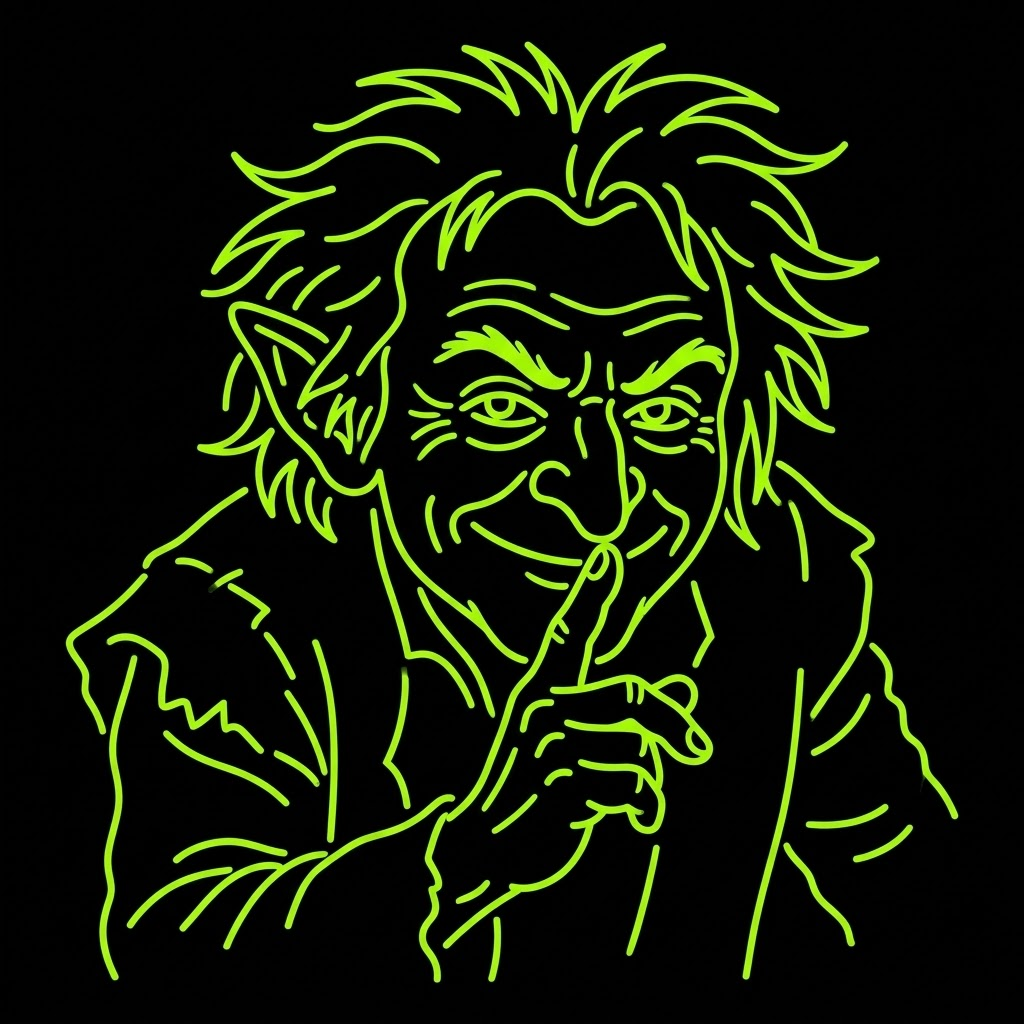
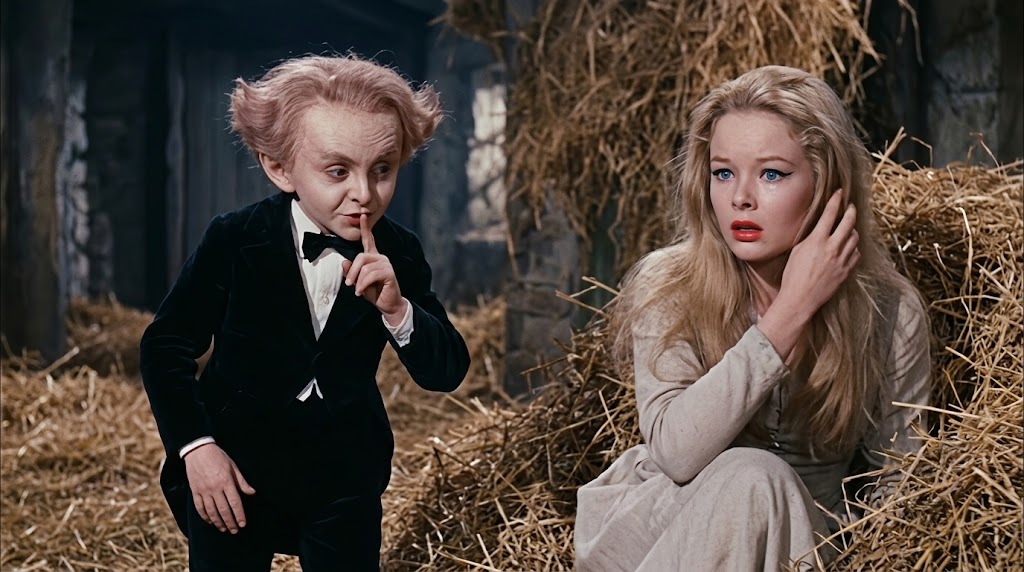
One for each subject in the clip.
FREE PREVIEW · 10S $4.99 · 15S $6.99
Swap both faces from two photos
Rumpelstiltskin AI Video Generator
Upload two photos and render the spinning-room clip with both faces swapped.
2 PHOTOS10S OR 15S9:16AI-MADE
01 · CREATE
Rumpelstiltskin AI Video Generator
Upload one photo of the little man, one of the maiden, or both. Empty slots stay in the reference video and are not sent.
Motion referencePadded on generate
01
Choose who to replaceUnuploaded roles stay in the reference video and are not sent
Only an uploaded photo is sent. Generation pads in the reference video for the motion.
One continuous shot with the original motion.
Watch the motion before you pay.
THREE STEPS
How the Two-Photo Workflow Works
No prompt writing, no filming, and no timeline editing. The whole workflow stays on this page.
Upload Two Photos
Add one clear, front-facing photo for the maiden and one for the little man. Even lighting and one person per frame is all the template needs.
Check the Preview
The spinning room is a fixed scene. Watch the free motion preview, then pick 10 or 15 seconds before you pay.
Generate and Download
If you like the preview, pay for the finished vertical file, then download the clip you want to keep.
TWO PHOTOS IN, ONE CLIP OUT
The template is a single continuous shot
A woman sits in the straw while a small man dances in front of her, and both of them are replaced by your uploads. The room, the bales, the candlelit grade and the camera move all stay intact.
Both subjects swap in one pass
The maiden and the little man are replaced together, so the two halves of the joke land on the same beat instead of being stitched from separate renders.
The motion stays on the source beat
The template supplies the room, the straw, the candlelight, the camera move and the timing, while your two photos replace the two figures.
SEE THE TEMPLATE IN ACTION
One source template, one finished swap and the original scene.
Pick any clip to watch it, then scroll back up to render your own.
The Spinning Room
A fast-cut clip in a straw-filled spinning room where a man dances in front of a seated woman.
Create VideoLittle Man Swap
Your photo replaces the dancing man while the straw room, the candlelight and the camera move stay exactly as they are.
Create VideoOriginal Scene
The original spinning-room clip kept as the reference before any face swap.
Create VideoBoth subjects
The maiden and the little man are replaced together, so the two halves of the joke land on the same beat instead of being stitched from separate renders.
Create VideoWHAT MAKES A GOOD CLIP
Turn two photos into the spinning-room clip
The product keeps one clear goal in view: turn two photos into the spinning-room clip without a camera crew or a costume department.
A dedicated Rumpelstiltskin AI generator removes the usual setup work around prompts, camera instructions, timing and wardrobe. You provide two photos and the built-in scene provides everything else: the low candlelight, the stacked bales, the dance, and the exact moment the little man turns toward the camera.
Keeping the scene fixed is the important difference. A general video tool asks you to describe a scene and hope the model interprets it well. This workflow keeps the scene and the camera move fixed, and narrows your decisions to the two uploads and the length the clip needs.
The generator is also a simple way to join the trend. Instead of recreating the room, the dance, and the timing yourself, upload two photos and the shared template places both people in the scene.
GET A BETTER RESULT FROM THE FIRST UPLOAD
Start with two clear portraits
Photo quality
Use a recent, front-facing photo with even lighting and one person in frame for each upload. Avoid sunglasses, hats, heavy filters or anything covering the face.
Who to upload
The seated woman and the dancing figure are separate slots, so a single photo of two people will not work. Upload one portrait per slot. You can leave a slot empty to keep that figure from the reference clip.
Let the template carry the scene
The straw room, the candlelight, the wide framing and the dance are already prepared, so you never write a prompt or direct a timeline. The only creative decision is who stands in for each figure.
See it before you pay
Watch the free preview first. 10 seconds is $4.99. 15 seconds is $6.99. Each paid file includes one free redo.
PAY AFTER PREVIEW
See it first. Then pick a length.
One free preview per unpaid account. Pay only for the finished file. 10 seconds is $4.99. 15 seconds is $6.99.
KEEP READING
How the Rumpelstiltskin AI clip works
Background on the meme, a full walkthrough, and the current prices.
The Rumpelstiltskin Meme, Explained
Where the clip came from, why the tiptoe audio attached itself, and how the AI version took over.
Read moreHow to Make a Rumpelstiltskin AI Video
A step-by-step walkthrough of photo choice, length, preview, and review.
Read morePricing
Compare 10-second and 15-second files before you generate.
Read moreFAQ
Frequently Asked Questions
Need help with a preview, a failed generation, or a paid order? Contact support.
What is the Rumpelstiltskin AI video?
It is a short clip built from one continuous shot inside a straw-filled spinning room. A young woman sits among the bales while a small man in a dark coat dances and hops in front of her. The scene is the well-known Rumpelstiltskin meme clip that circulates under names like tiptoeing in my jordans, so creators join the trend by swapping both faces for photos of their own instead of restaging the scene.
How does the generator work?
Upload one clear photo for the maiden and one for the little man, confirm the template, then pick 10 or 15 seconds and submit. The template supplies the room, the straw, the candlelight, the camera move and the timing, while your photos replace the figures. No prompt writing, filming or timeline editing is required.
Is the generator free?
Each unpaid account gets one free motion preview. The finished 10-second file is $4.99 and the 15-second file is $6.99. There is no monthly fee. You can buy one video or a three-video pack.
What photo works best for each subject?
Use a recent, front-facing photo with even lighting and one person in frame for each upload. Avoid sunglasses, hats, heavy filters or anything covering the face. The seated pose, the dancing motion and the timing all come from the template, so neither person needs to pose like the reference.
Can I use it as a meme template or a green screen?
Yes. The clip is the meme template most people are looking for, and because the background is one fixed room, the rendered file also works as green-screen footage for your own edit. Export it, then cut the figures out or composite your own scene around them.
Where does the Rumpelstiltskin meme come from?
The clip is taken from the 1987 Cannon Movie Tales adaptation of Rumpelstiltskin, which is why some people search for it as an AI movie version. The scene resurfaced as a meme, spread through short-form edits set to the tiptoeing audio, and is now widely known by the tiptoe nickname.
How long does generation take?
Most tasks finish within a few minutes. Video models queue under heavy load, so a task can take longer during peak hours. The preview panel shows progress, and the result appears as soon as the render returns.
CREATE YOUR CLIP
Create your Rumpelstiltskin video
Upload two photos, watch the free preview, then pay only if you want the finished file.
Create Video